Initializing...
Available now
What's new in PressWork
It grows with every release. Here's what you can do today.
PressWork is available for Windows, macOS and Linux. The latest updates up top, the foundations of the 4 series below. Note for 3.7 users: the update requires a one-time manual download — from 4.0 onwards the app updates itself.
Download PressWorkComing
PressWork 4.7
One thing we are working on. No date: when there is one, we will say so.
Assistants propose, you decide
Claude, Codex and Gemini can propose changes to the text, never make them: you accept or reject each one, inside the text, with ✓ and ✗. And the AI inside PressWork proposes too, instead of replacing what you wrote.
What you haven't decided doesn't go to print
A proposal you haven't accepted stays out of the export: the PDF and the ePub carry your text, not an assistant's idea of it.
Branches are now called versions
And the text that goes to print is the final version. The same work, named the way a writer would name it rather than a programmer.
PressWork Mobile 1.0.6 — 12 October 2026
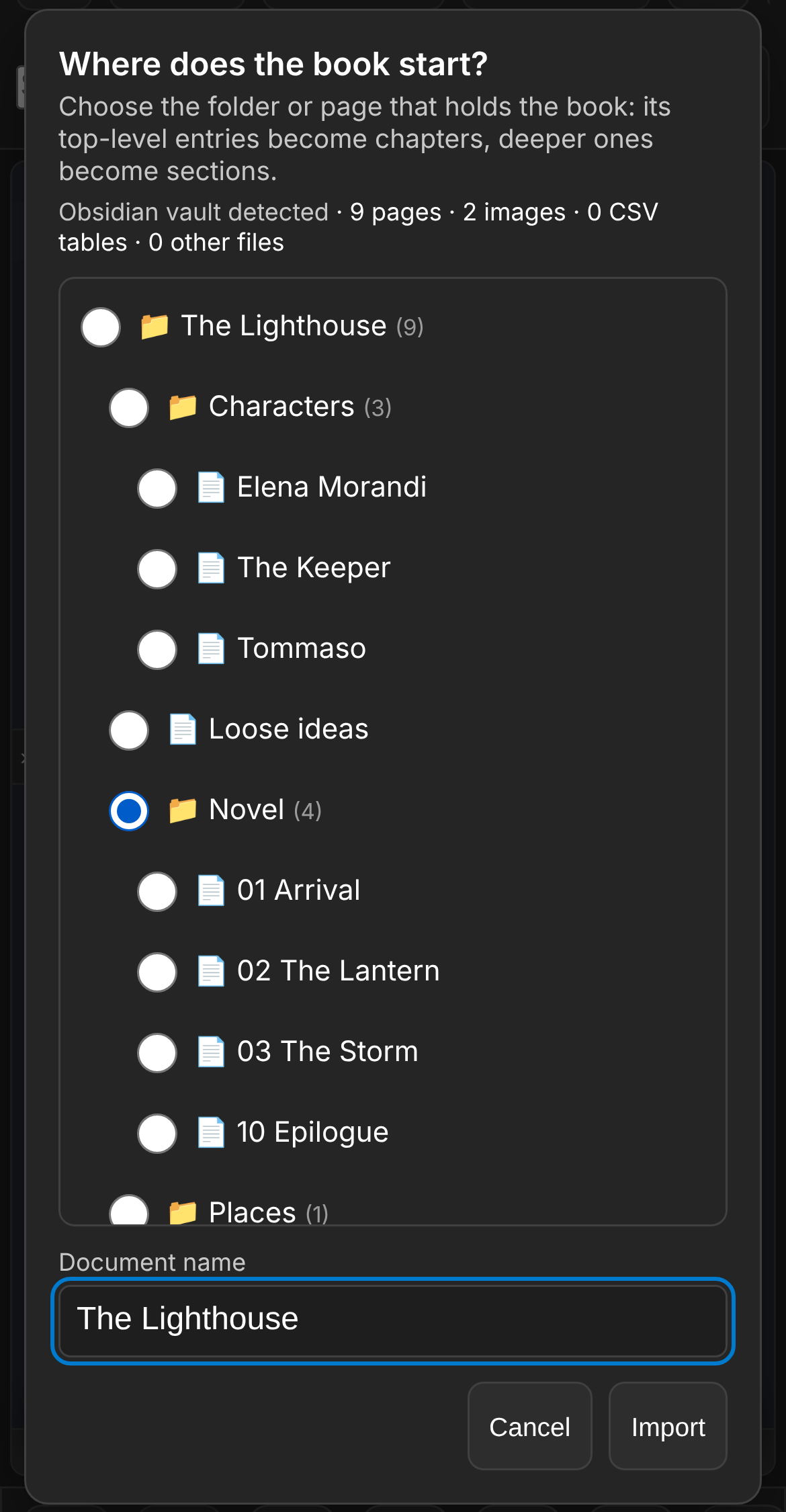
The book you already wrote in Notion or Obsidian comes into PressWork from your phone, with its chapters, images and links in place.
The zip as it is, no unpacking
A zipped Obsidian vault, or Notion's «Markdown & CSV» export — even when Notion puts one zip inside another. You choose which folder the book starts from: top-level entries become chapters, deeper ones become sections. Images come into the document, links between pages become internal references, and small CSV tables become tables; headings lose Notion's codes, and a report at the end says what came in.
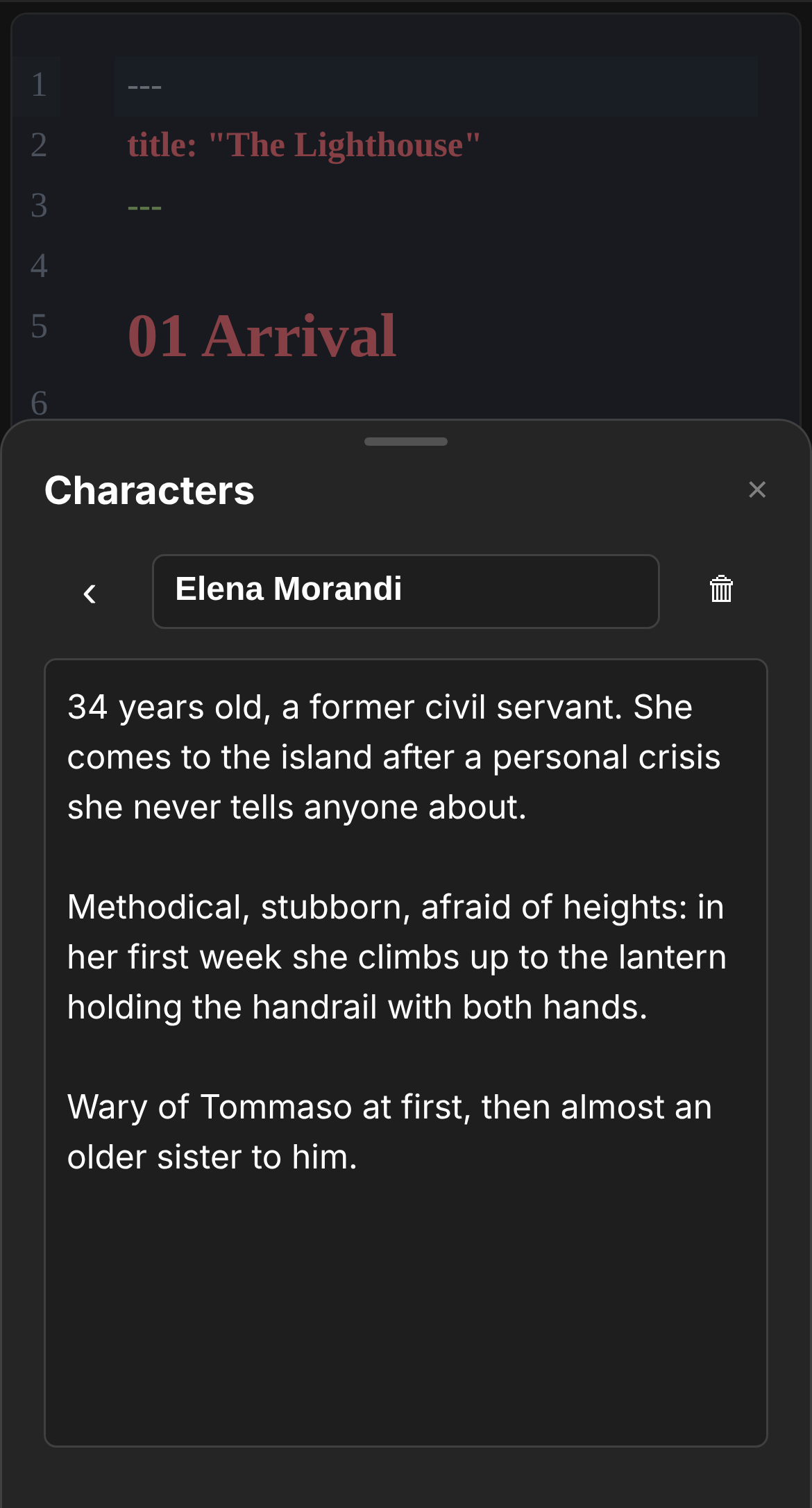
Characters and places become cards — and this one is phone-only
Notes outside the book that the book refers to become cards: you tap the name in the text and the card opens. They go to Characters if that is the folder's name, otherwise to Notes. Notes the book never refers to stay out.
Open with PressWork, and the PDF hyphenates in the right language
Zip files, .md files and .pwk projects open straight from Files, Mail and Drive, on iPhone and on Android. And the PDF hyphenates in the language of the text: the app's, or the one you declare with «lang:» at the top of the document. All of it on the device, with nothing uploaded.
PressWork 4.6 — 1 October 2026
You always know where you are writing and what is already saved. And if you close by mistake, you lose nothing.
You always know where you are writing
The document name is always in view, in the bottom bar and in the window title — with the branch, when you are working on one. And reopening a document takes you back to the branch where you left it.
Nothing is lost on closing
A Markdown file with unsaved changes is recognisable at a glance: the name goes italic with a «•». If you close, PressWork asks; and if you close anyway, it offers to restore what was unsaved when you reopen. PressWork documents save themselves, including the last line you wrote.
On the Mac, PressWork documents are documents
In the Finder a .pwk is a single file, and a double-click opens PressWork. On Mac and Windows PressWork also appears under «Open with» for Markdown files, without taking over as the default program: the .pwk is ours, in Markdown we are guests. On Windows and Linux the .pwk stays a folder.
Exporting is easier
The last folder is remembered per document, after a title change you no longer find a file with the old name, the ePub has a table of contents, and Word and ODT use the PDF margins.
Lighter
At startup it no longer downloads anything from the internet: it works offline from the moment you open it. And large photos from your phone no longer slow the editor down, while exports still use the original.
Help in one click
The Info window has «Copy support information»: version, system and export engines, ready to paste. No text and no file names.
Free update for the 4 series: it arrives by itself at first launch.
All the details in the changelogPressWork Mobile 1.0.5 — 26 September 2026
Your phone's PDFs are now set by Typst, a professional-grade typesetting engine, right on the device and offline: under two tenths of a second per chapter.
Book-quality typesetting, and every script
Book-quality hyphenation and justification, footnotes, tables and every script — including Hebrew and Arabic right-to-left, Chinese, Japanese, Korean and emoji.
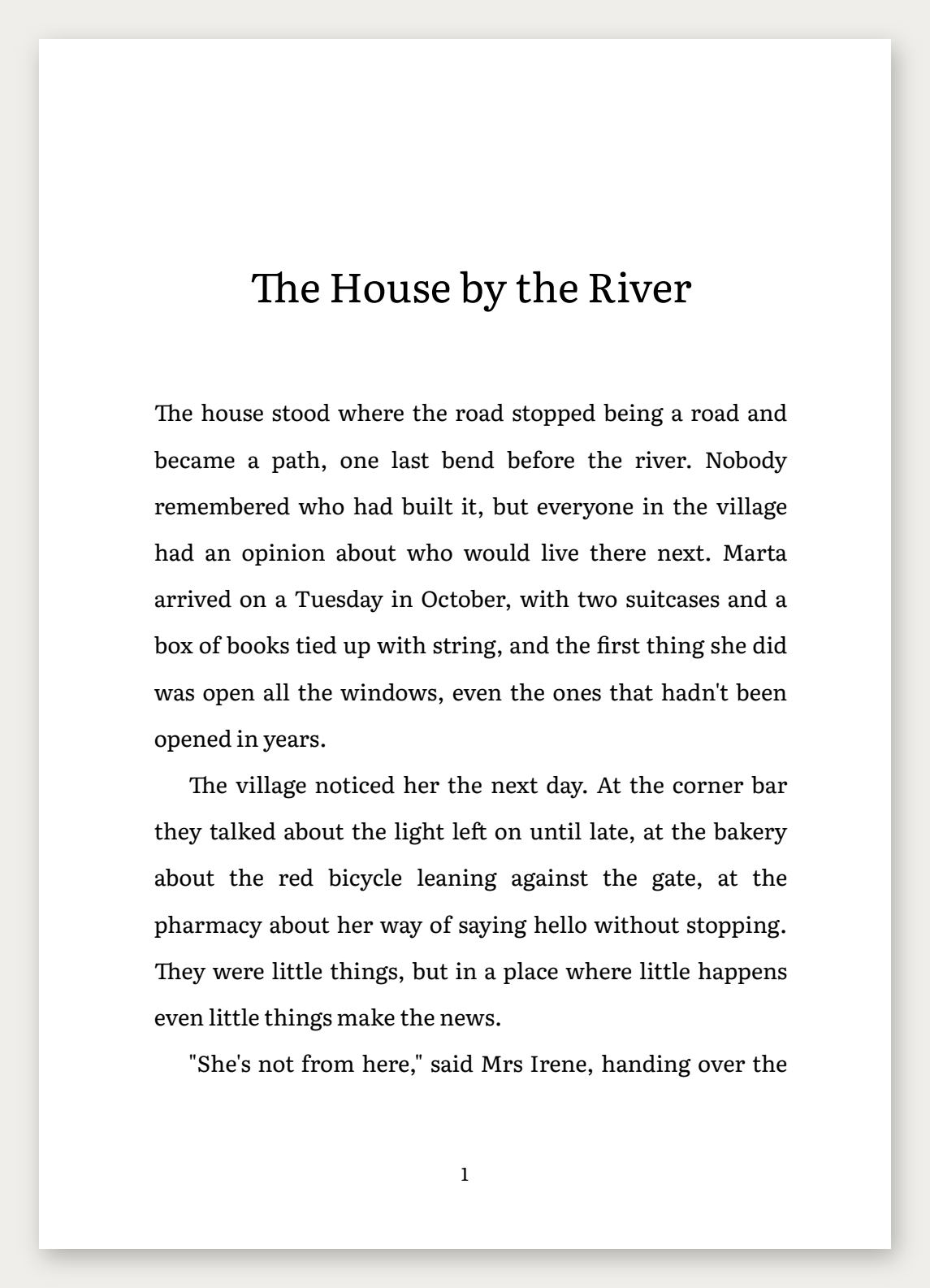
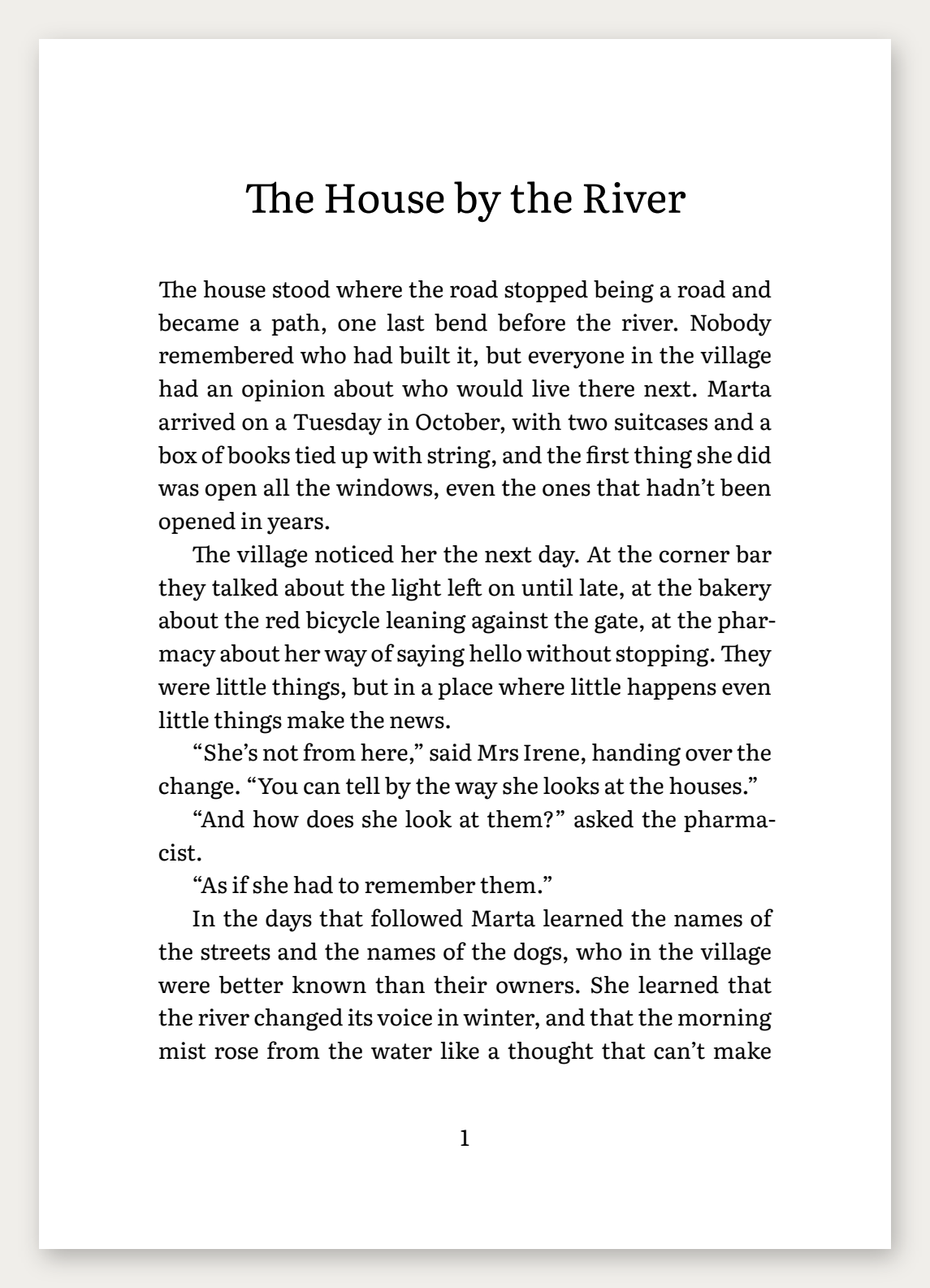
The layout adapts to the text
A novel comes out as a book, with chapters opening new pages; a proposal or report comes out as a document, with sections flowing on. You can also choose by hand, together with line spacing: Normal, Airy for reading on screen, Manuscript for sending your text to a publisher.
It works offline, and you can tell from the size
Photos, cover and hand-drawn signature work as before. The app is larger, about 36 MB, because the engine and its fonts travel with it — so it works offline too.
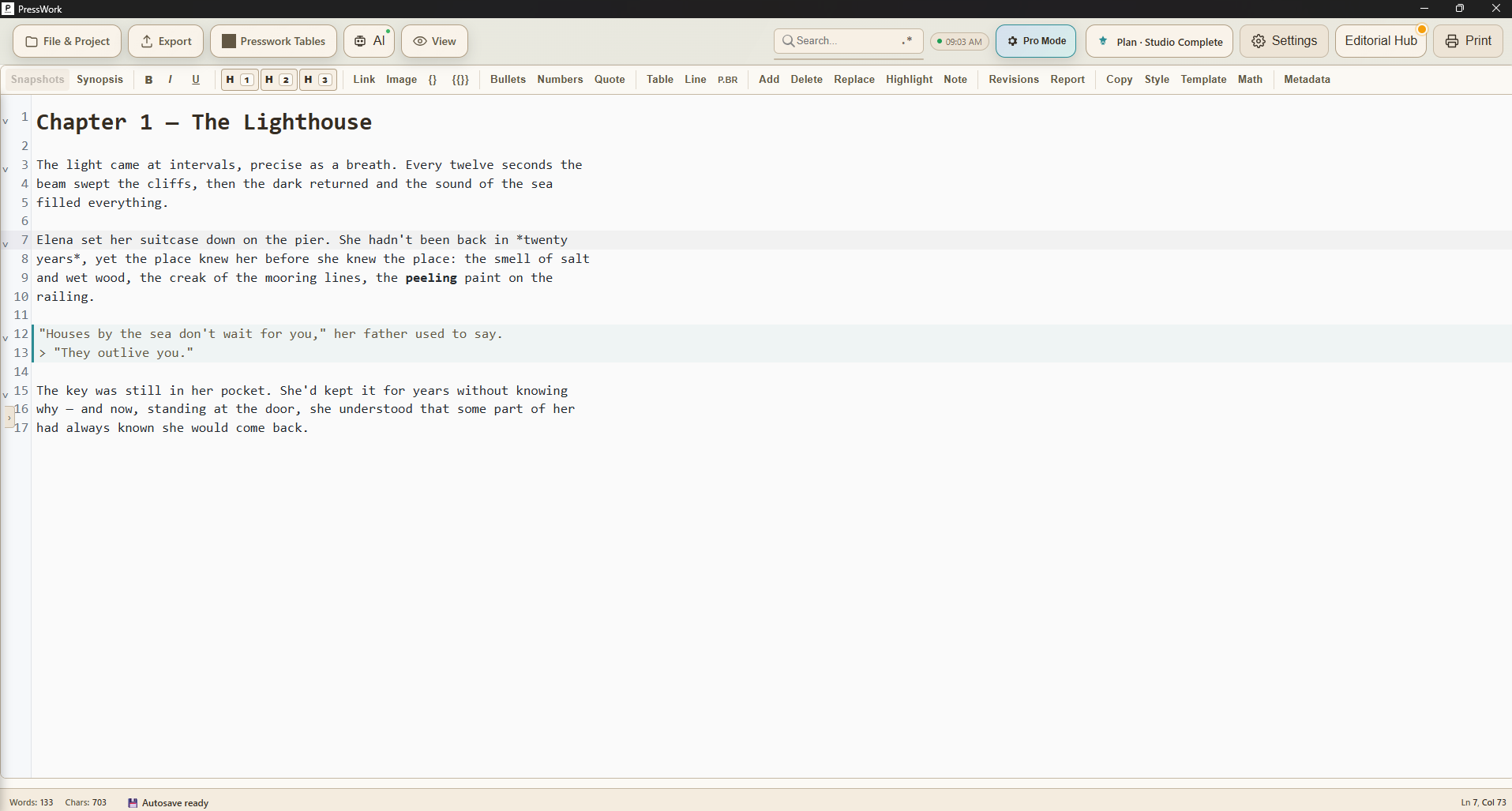
What PressWork does
🤝
Two people writing in the same text
Share the document and write together live: you see each other's cursors, you talk over video inside the app, you comment. And the file stays on your computer — no text on anyone's server.
📤
The exports your printer asks for
Certified PDF/X-4 for the press, validated ePub for Kindle and the stores, DOCX for people working in Word, ICML with the styles already assigned for InDesign. They're built on every save, not on command.
🖋️
Signing with a certain date
Sign a PDF — or a whole folder at once — with an RFC 3161 timestamp. You prove that text was yours on that date, with no notary.
📦
Ready for Amazon (KDP)
While you write, PressWork checks margins, spine and image resolution for Amazon KDP. You find the errors before uploading, not after the rejection.
📊
Data, tables and documents in bulk
Import an Excel sheet and turn it into tables or charts in the document. With «Generate batch», in the Business Hub, every row of the sheet becomes a document: letters, invoices, contracts, all at once.
🗂️
The binder: Notes, Research, Characters
Notes, research and character sheets live next to your manuscript, never in exports. And with «Reference», keep another chapter or a note in view while you write.
⚙️
AI automations (beta)
Set a threshold and an instruction: as the text grows, the app suggests — never on its own, never on your source. All on the local AI, offline.
🌍
Interface and guide in 9 languages
App, manual and in-app guide in Italian, English, Spanish, French, German, Chinese, Russian, Arabic and Hebrew — with the right typography for each.
✍️
New editor
The heart of the app has been rewritten: faster, more stable, ready for the future.
👁️
Live preview
Bold, headings, lists and images take shape right in the text as you type. No separate panels.
🤖
Built-in AI, zero setup
The AI assistant is built in: one click to download the model and it just works, fully offline. Runs even on older computers.
🖼️
Images in the text
Photos appear in the manuscript; drag them to move them anywhere.
🎬
Studio-grade screenwriting
Screenplay mode with Final Draft (FDX) export and a full round trip: authentic dual dialogue, production tags that survive the trip, scene numbers and V.O. extensions.
✅
Spell check & style
Multilingual spell checker; repetitions and filler words highlighted live, with a hover explanation.
🖨️
Printing that works
The Print button builds a PDF with the same typography as your exports and opens it in your system viewer: a faithful preview, every time.
🔄
Automatic updates
From this version on, the app offers you new updates by itself: one click and you're up to date.
⚡
Fast on long documents
Virtual rendering: no slowdown even past 100,000 words.
Privacy first. No spam, only engineering updates.